Fork
Stop asking "where do you wanna eat?"
Nominate 3 restaurants. Let them pick 1. Dinner, decided.
Download on the App Store
See how Fork works
Swipe down for a quick demo
Stop asking "where do you wanna eat?"
Nominate 3 restaurants. Let them pick 1. Dinner, decided.
Download on the App StoreSearch restaurants near you, dial in the distance and price, and line up your three picks — like Goin Coastal Seafood, Taco Mac, and Local on North. Then hit Send Fork.
Search · distance · price filters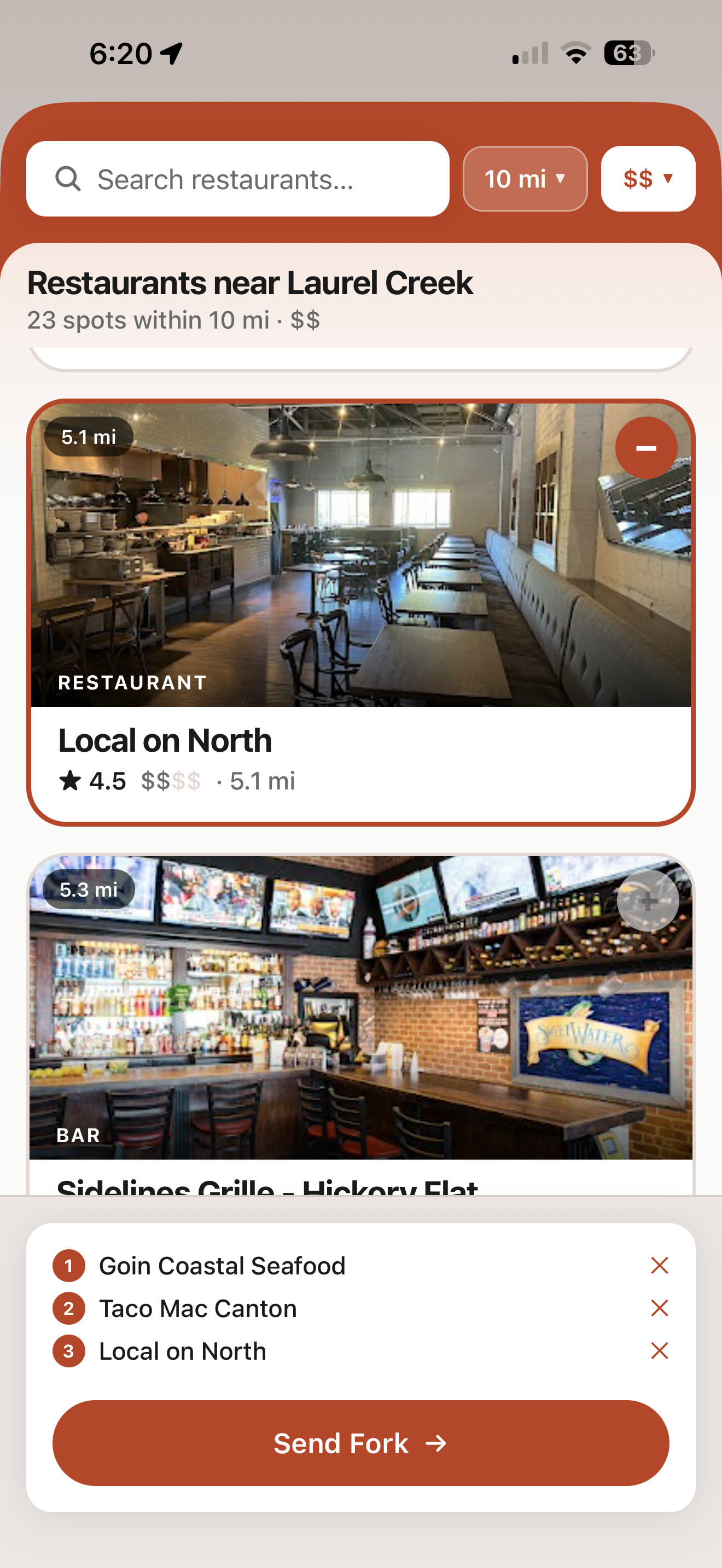
Tap any spot for the full picture — a live Google map, rating, price, distance, "Open now," hours, and one-tap directions. Nominate with confidence.
Maps · ratings · hours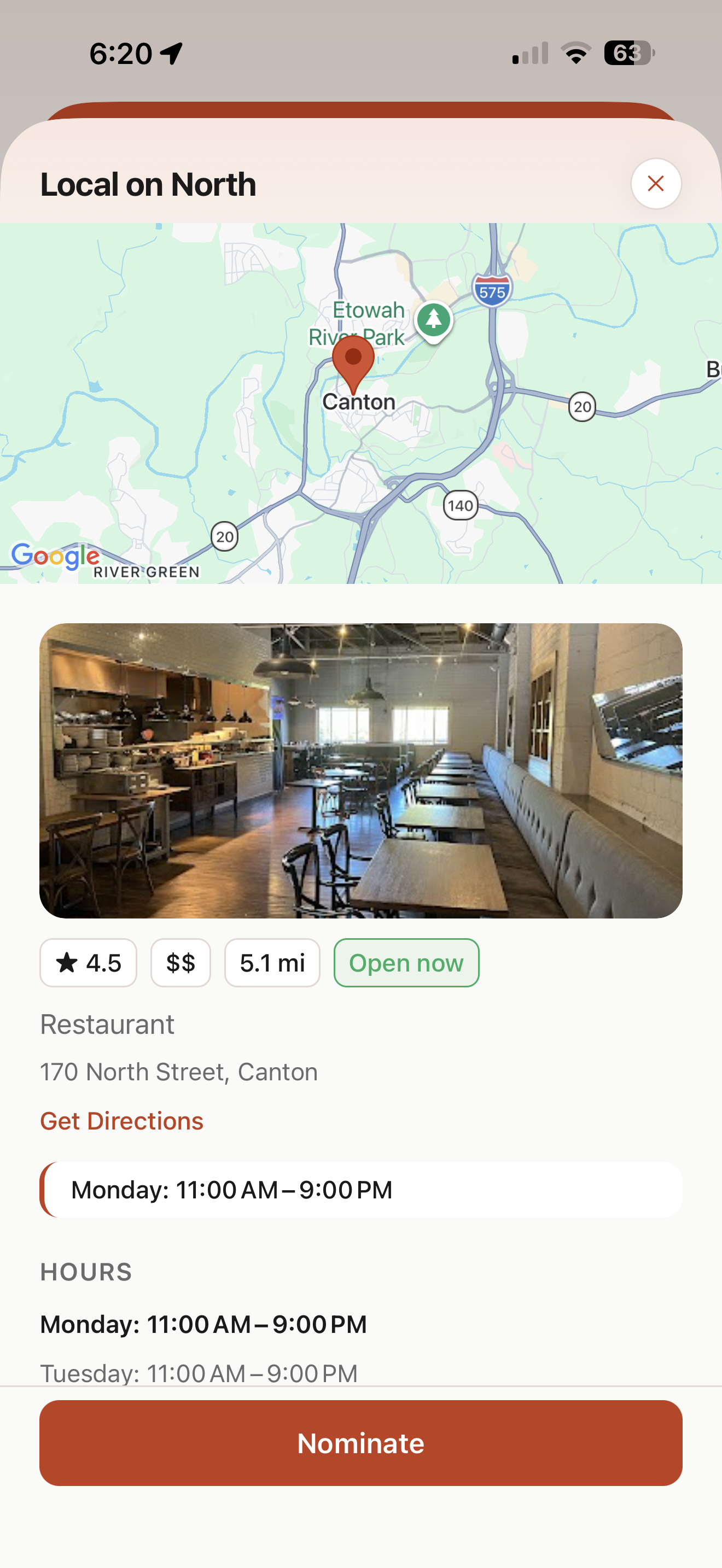
Hit Share Link and your three nominations fly off to whoever you're eating with. The screen flips to Waiting… while they decide — no group-chat debate required.
One link. One tap.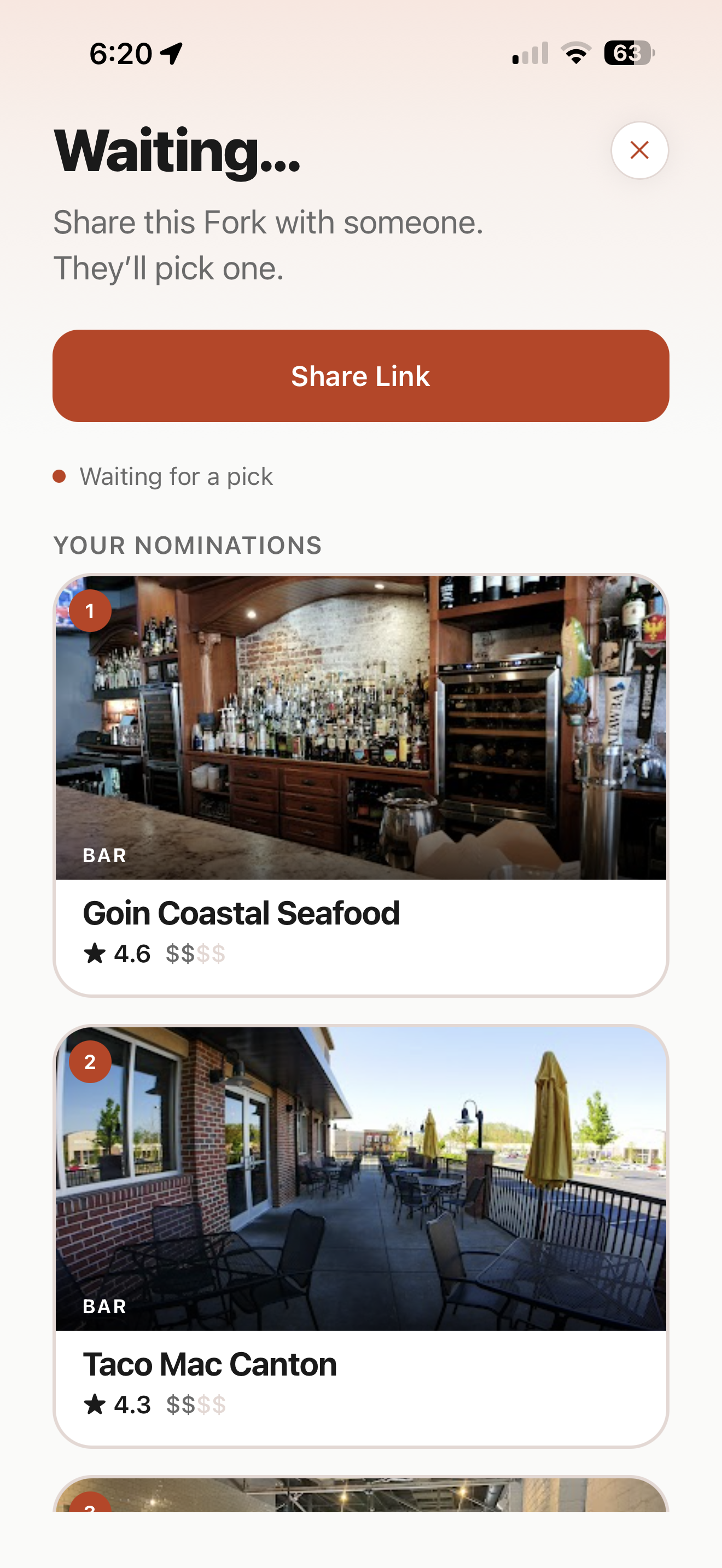
If your friend has Fork, a push notification lands and their home screen lights up: A friend needs you to pick — tap to choose where you'll eat. No hunting through a chat thread.
Push notification → home card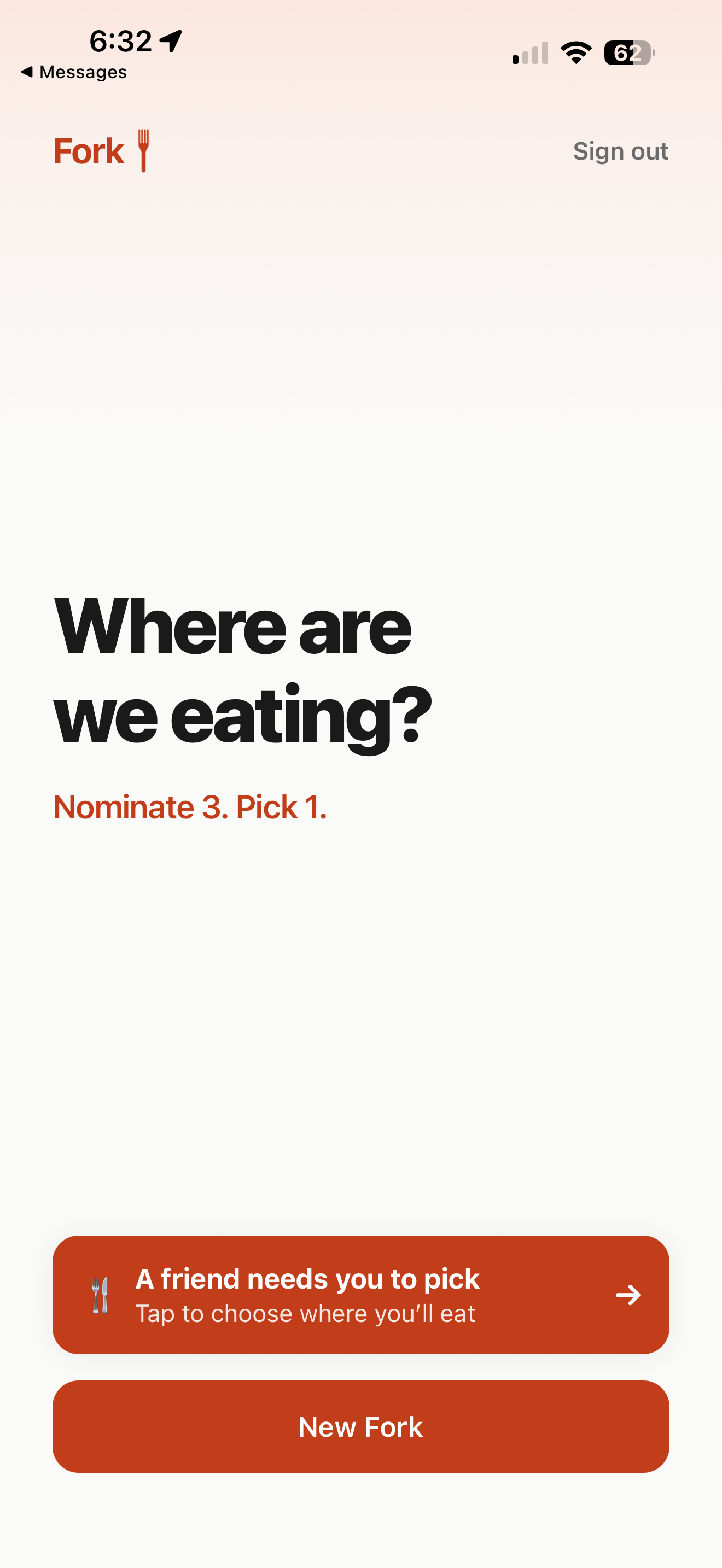
Your friend opens the link, swipes through your three, checks the map and hours, and taps Pick this restaurant. One decision, made in seconds.
Pick this restaurant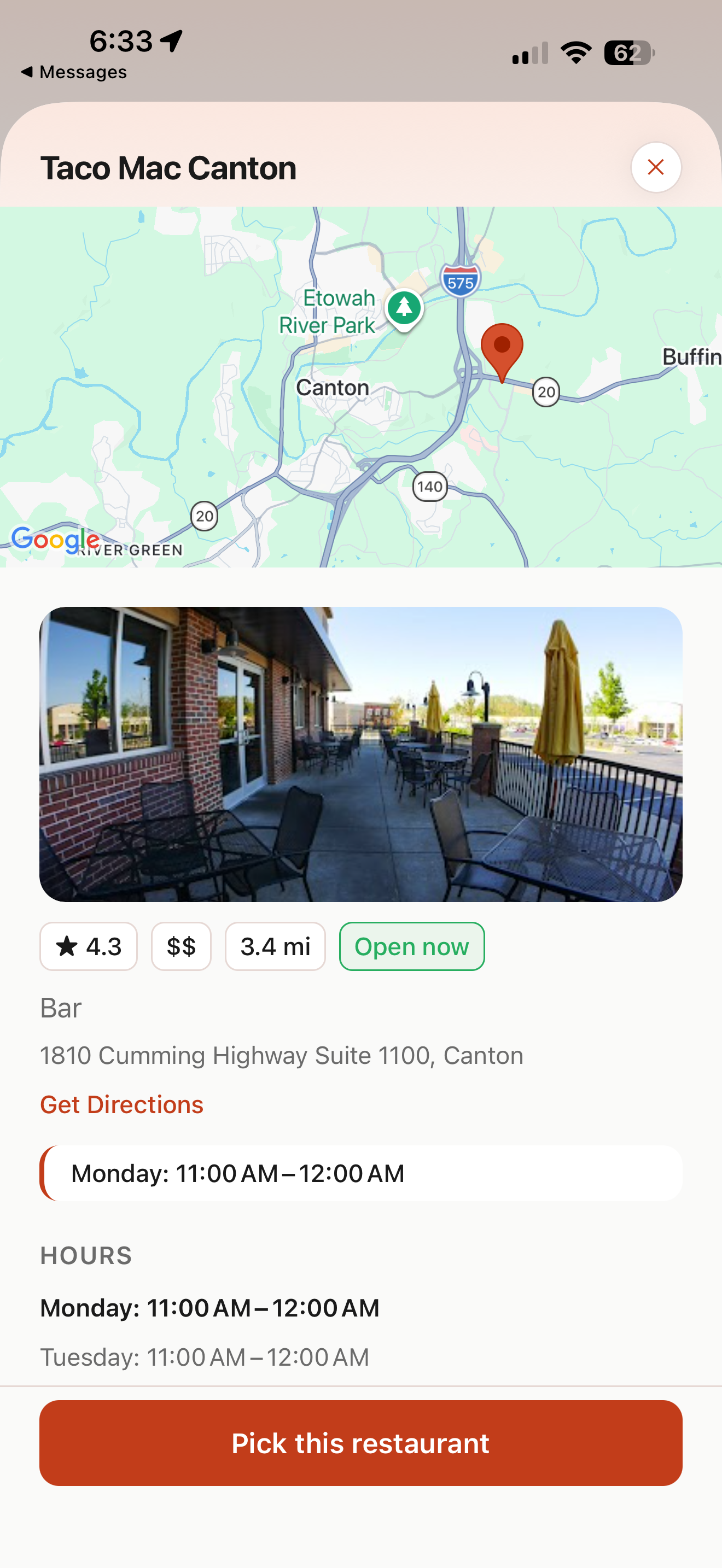
Confetti, then the verdict — Taco Mac Canton. From the result screen, get directions, order delivery, or reserve a table. You both got the answer in seconds, not an hour of "I dunno, you pick."
Directions · delivery · reservations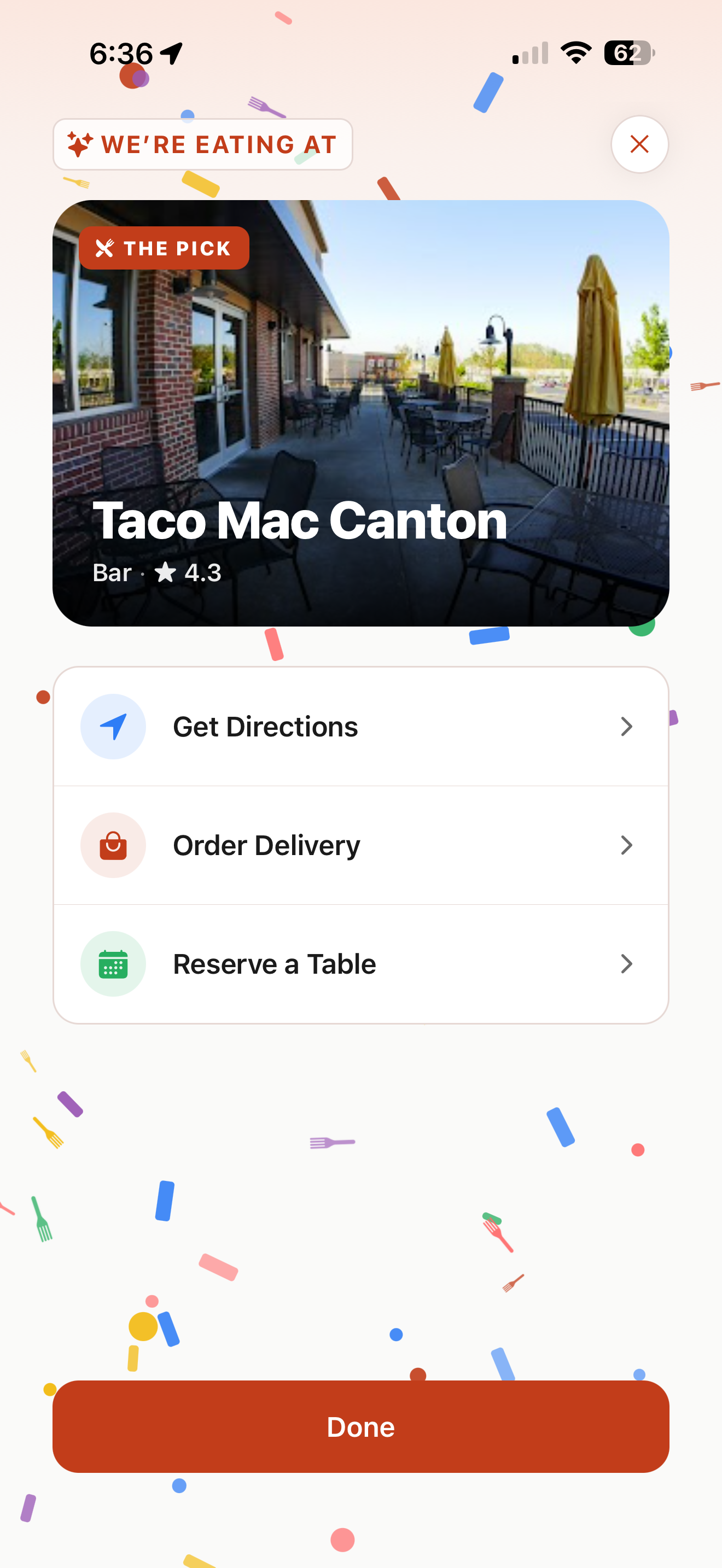
Need help, found a bug, or want to delete your account and data? Email gabriel052.gf@gmail.com and we'll get back to you.